Wiring instructions
Best practices for establishing ReadyLinks connections over twisted pair (SISO and MIMO), reverse power feed, and coax cabling, plus troubleshooting for reverse power and slow speeds.
This guide provides best-practice instructions for establishing a ReadyLinks connection over various cable mediums. Some of the common wiring types include:
- Phone cable
- RG58, RG59, RG6 coax
- CAT3-CAT7
- Single pair twisted pair
- Two pair twisted pair
- BNC coax
- Speaker wire
#Twisted pair
ReadyLinks twisted pair technology can deliver Gigabit Ethernet over a single pair of copper wire. Leverage two pairs to extend your reach over 1,000ft of cable.
#Standard Ethernet
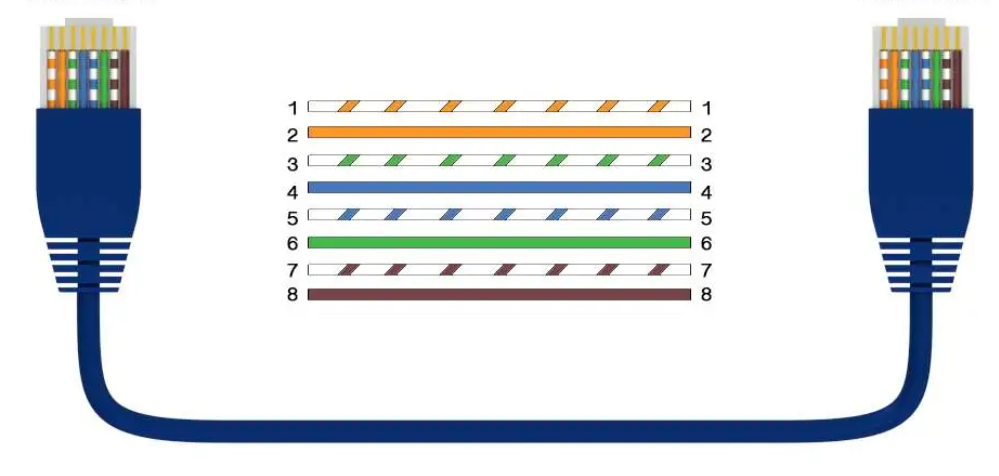
#SISO
By default, ReadyLinks ports come in SISO (one pair) mode, meaning only 1 pair is required to bring up the ReadyLinks connection (RJ45 pins 4 & 5).
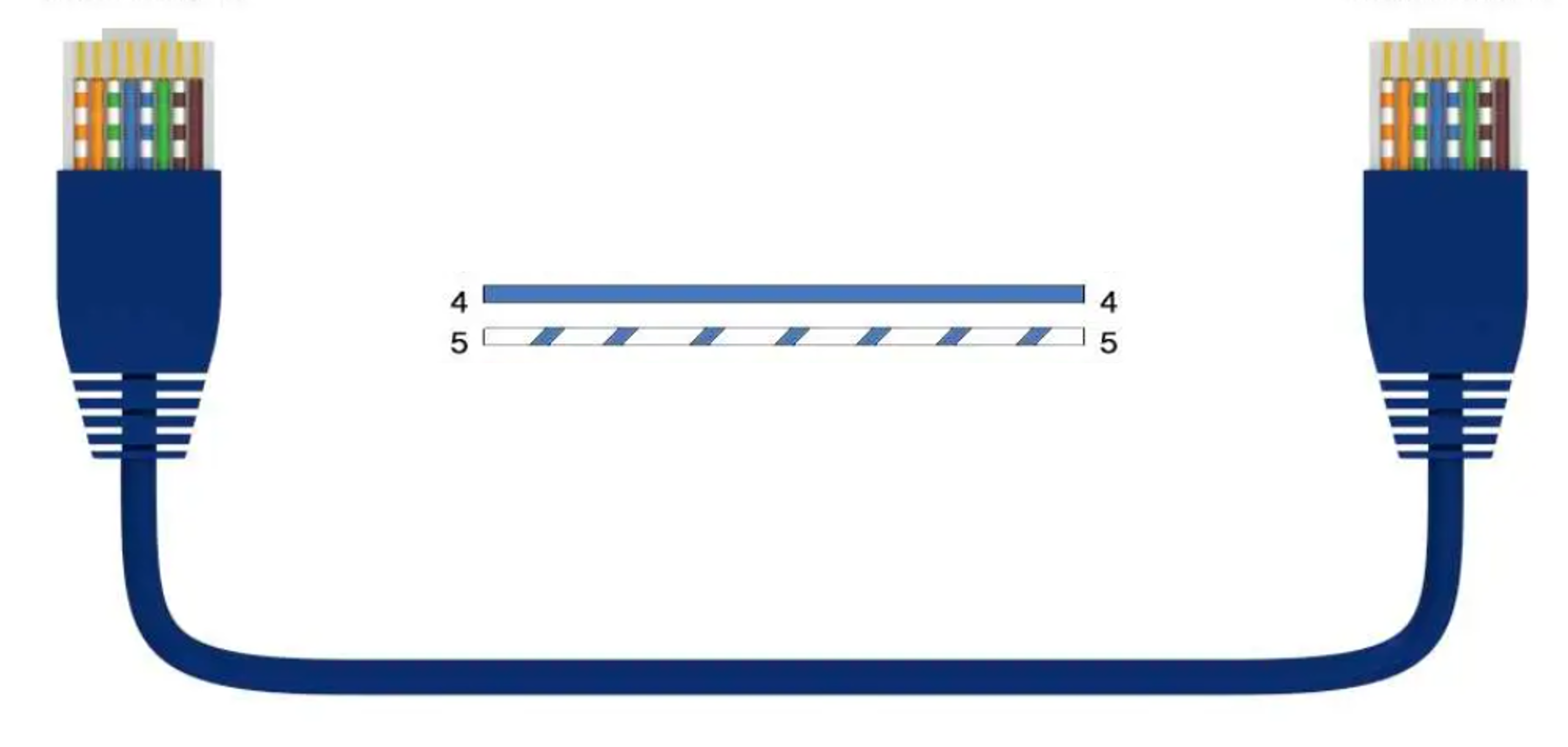
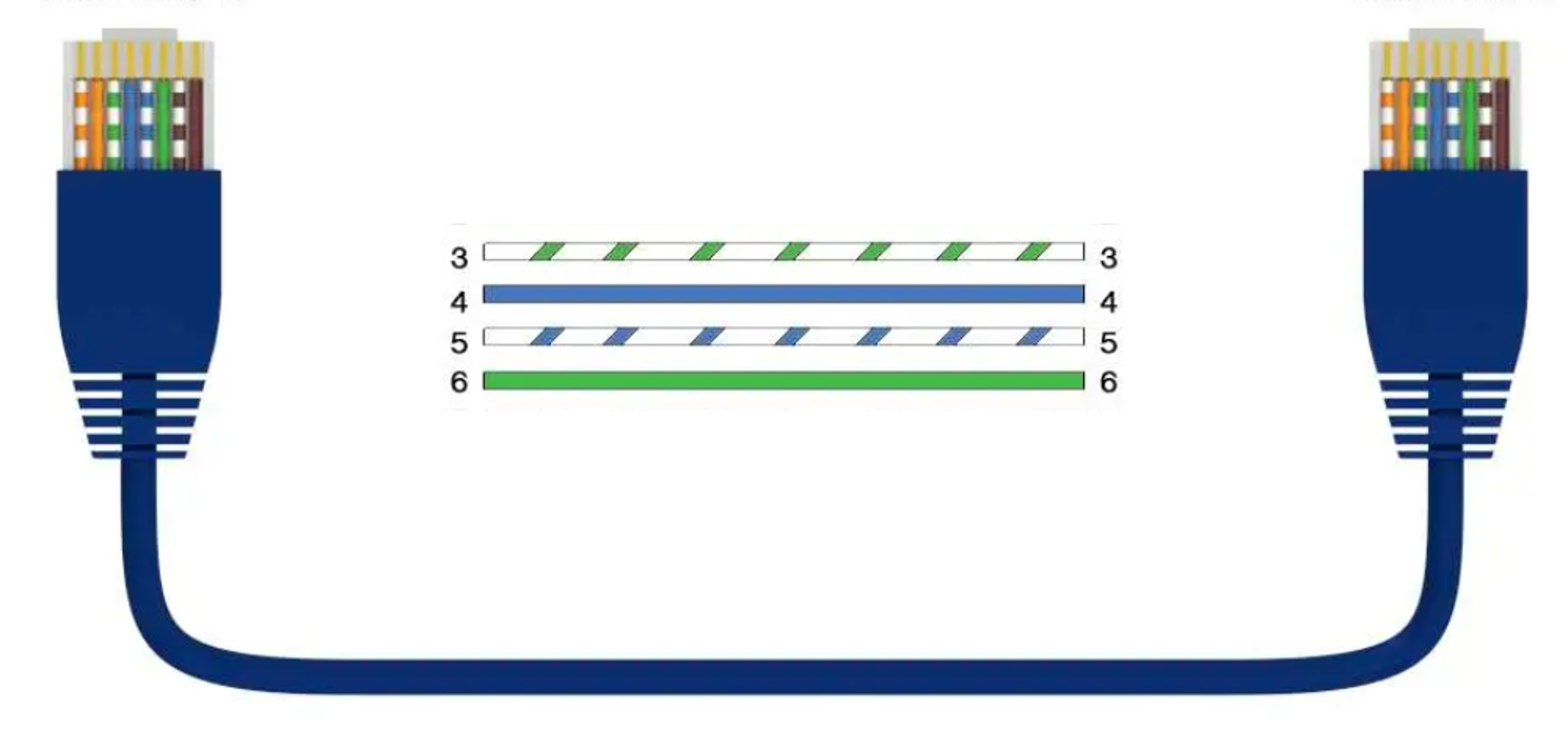
#MIMO
ReadyLinks ports natively include MIMO (two pair) functionality in each port, meaning higher performance at greater distances can be achieved by using 2 pairs, or 4 conductors, on that port (RJ45 pins 3, 4, 5, 6). Below is the MIMO pin-out diagram. ReadyLinks recommends leveraging 2 pairs of copper, if available.
#Reverse power feed (RPF) cabling instructions
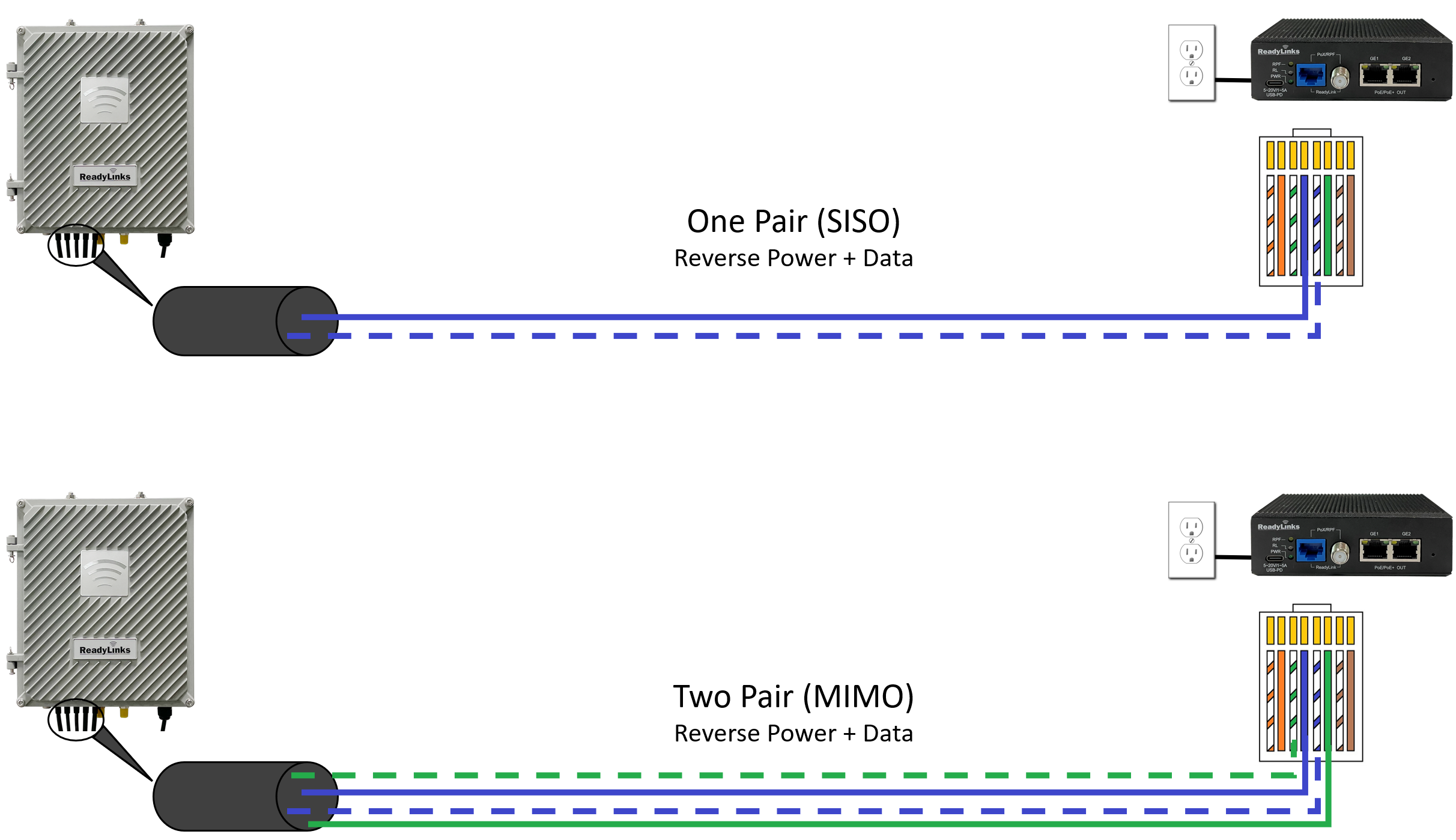
ReadyLinks RPF technology allows you to install switching equipment in locations that lack a local power source. Provide power and high-speed data over a single copper pair. Utilize an RPF-enabled ReadyLinks IPC client device to backfeed power from the remote location to the switch. By default, ReadyLinks ports come in SISO mode, meaning only 1 pair is required for both the data and reverse power feed. You may adjust the default configuration to MIMO to leverage 2 copper pairs for higher performance at greater distances.
#Coax
ReadyLinks coax technology can deliver Gigabit Ethernet over existing coax infrastructure and support up to 15 IPC client devices per port in coax networks with existing splitters and taps. A single GL-x chassis can deliver Gigabit Ethernet to over 360 end points through the existing coax plant.
ReadyLinks connections operate in the 4-200MHz frequency range. If existing services such as cable TV channels are operating in this range, leverage the built-in frequency notching functionality on the ReadyLinks switch to co-exist with the services.
Follow the guidelines below when installing your ReadyLinks network over your coax infrastructure:
- Be aware of existing services operating in the 4-200MHz spectrum.
- Limit point-to-multipoint connections to 15 ReadyLinks clients per port.
- Ensure there is less than 40dB of loss on the existing coax plant.
#Troubleshooting
#Reverse power
Problem symptoms
- Flashing device LEDs
- Reverse powered device starts to boot but then power cycles
- Reverse power LED is on but the data link LED is off
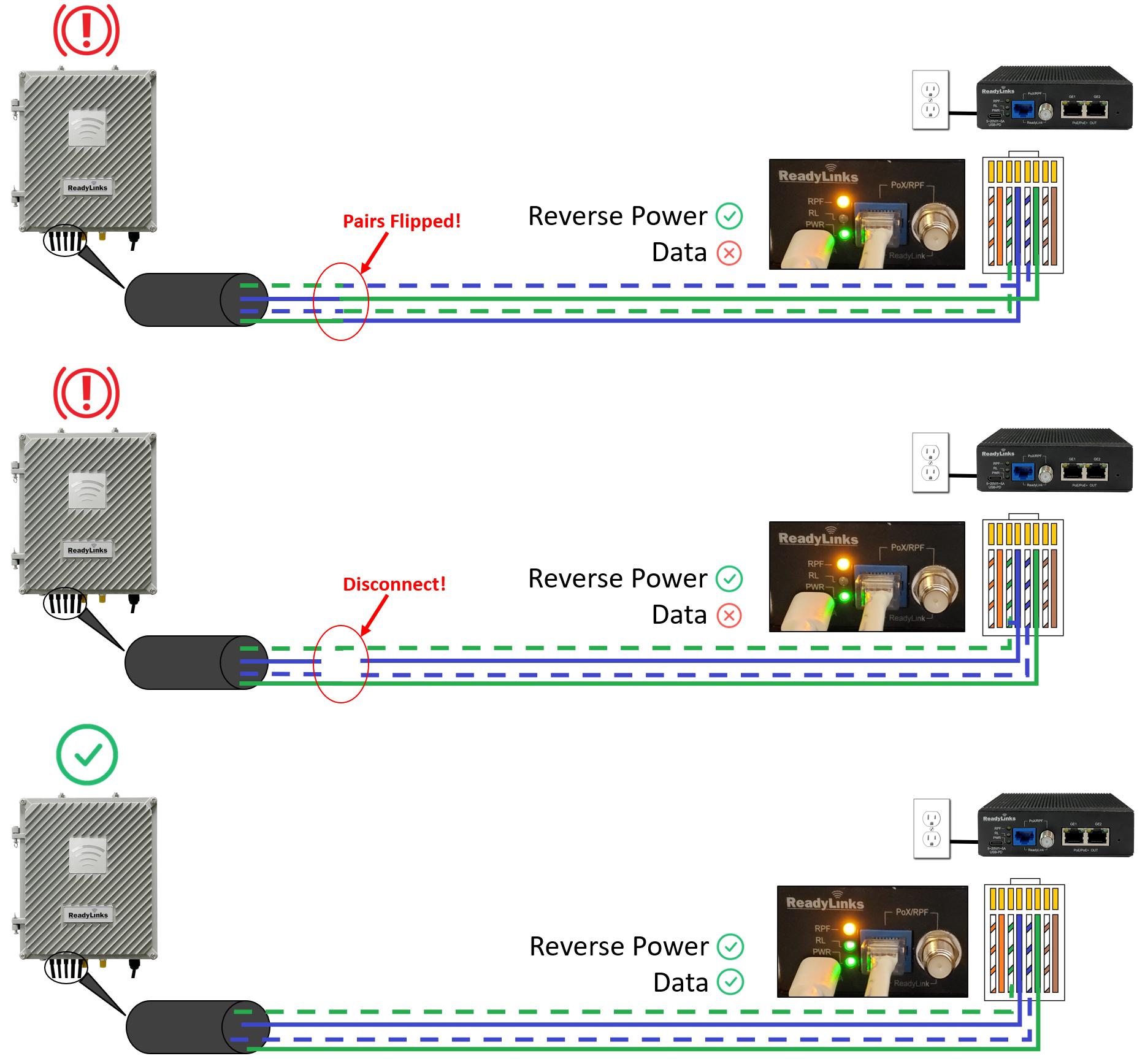
Be sure to match the center pair (pins 4 & 5) of the IPC with the correct corresponding pair on the RPF-enabled switch. A mismatch in the connection may still enable the reverse power feed, but the data link will remain down. Also, ensure there are no disconnects on the center pair. A stable link on the outer pair but a disconnect on the center pair will cause the data link to fluctuate or disconnect while the RPF link stays up.
#Slow speeds
Problem symptoms
- Throughput is lower than expected
- Inconsistent speed tests
A ReadyLinks connection is capable of delivering Gigabit speeds over twisted pair or coax. To achieve maximum throughput, it is important to follow some best practices:
- Good cable terminations
- Stable power source
- Cable continuity
Refer to the twisted pair or coax cabling instructions for details on how to terminate different ReadyLinks connections.
It is important to note the distance limitations for achieving 1Gbps throughput. Speed will vary by cable type, length, and gauge, but some general guidelines for 1Gbps connections are shown below.
| Connection | 1Gbps reach |
|---|---|
| Single pair (SISO) | Up to 400ft |
| Two pair (MIMO) | Up to 1,000ft |
| Coax | Up to 1,400ft |
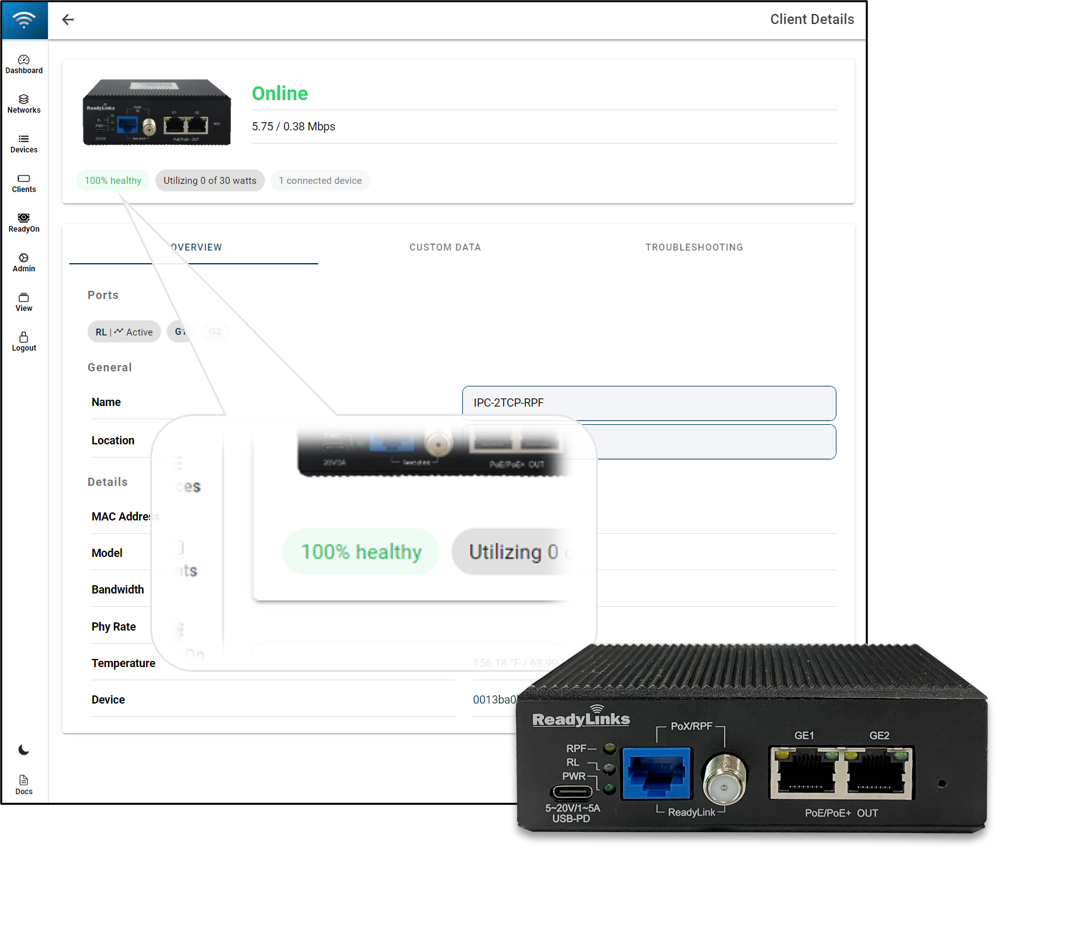
Check your connection health in the ReadyView dashboard. A low health score can indicate a poor connection, resulting in reduced throughput.
Last updated April 27, 2021